PDF to Link: Why it has become crucial?
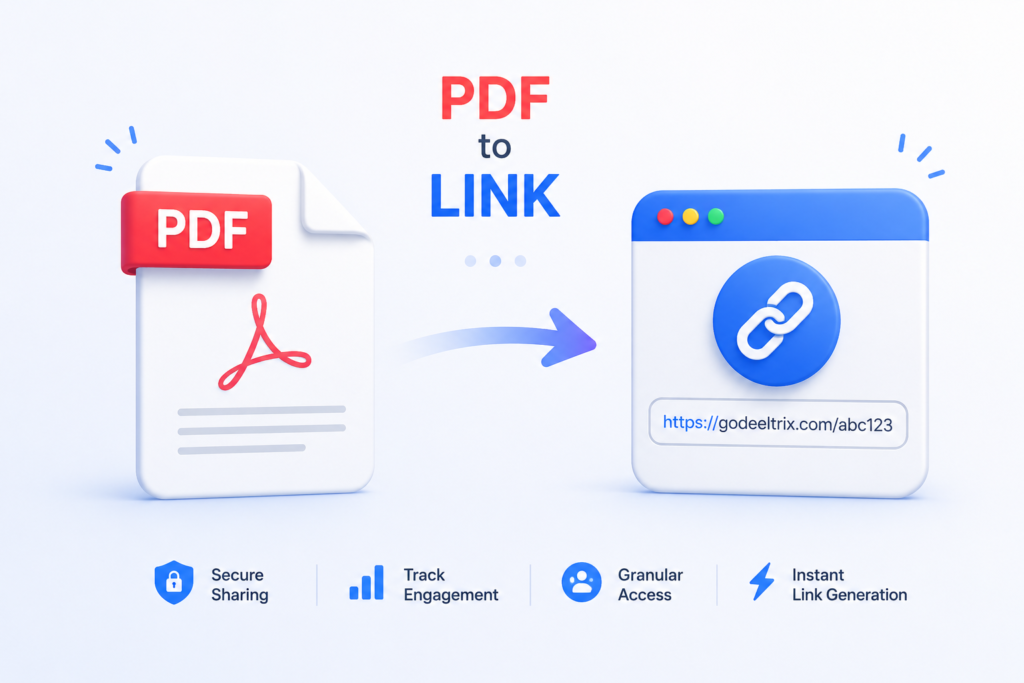
Businesses, freelancers, startups, educators, and sales teams share thousands of PDF documents every day. Whether it’s proposals, contracts, pitch decks, invoices, presentations, reports, or marketing brochures, PDF remains the preferred document format because it preserves formatting across devices. However, the way these files are shared has evolved significantly. Instead of sending bulky email attachments, organizations are increasingly choosing PDF to link solutions that allow recipients to access documents instantly through a secure web link.
Modern document sharing is about much more than convenience. Organizations now need better visibility into document engagement, stronger security controls, and the ability to update files without repeatedly sending new versions. Traditional attachments offer none of these capabilities. Once a PDF leaves your inbox, you lose control over who opens it, how often it is viewed, or whether it gets forwarded to unintended recipients.
This shift has created demand for smarter document-sharing platforms that transform static files into interactive, secure experiences. By converting PDFs into shareable links, businesses can collaborate more efficiently while protecting sensitive information and gaining valuable insights into recipient activity.
Why Businesses Are Moving Away from Email Attachments
For many years, email attachments were the standard method of sharing documents. Although familiar, they introduce numerous challenges that slow collaboration and increase security risks. Large files often exceed email size limits, forcing users to compress documents or split them into multiple emails. Version confusion becomes common when updated PDFs are circulated repeatedly, leaving recipients unsure which file is the latest.
Security presents an even greater concern. Once an attachment is downloaded, the sender has virtually no control over its distribution. Anyone can forward, duplicate, or store the document indefinitely without the owner’s knowledge. Sensitive proposals, financial reports, legal contracts, and investor presentations become difficult to protect once they exist as downloadable files.
These limitations have encouraged organizations to adopt cloud-based document sharing, where a single secure link replaces multiple attachments. Instead of sending files, users share controlled access to documents, allowing permissions, analytics, and updates to remain centralized. This modern approach improves both productivity and document governance across teams.
What Is PDF to Link?
A PDF to link solution converts a traditional PDF document into a secure web-accessible URL that can be shared through email, messaging platforms, CRM systems, websites, or collaboration tools. Instead of downloading an attachment, recipients simply open the provided link in their browser to view the document instantly.
Unlike public file-sharing services, professional document-sharing platforms provide advanced capabilities such as viewer authentication, expiration dates, password protection, branded viewing pages, analytics, and access management. These features allow organizations to maintain control over documents long after they have been shared.
The biggest advantage is flexibility. If a document requires updates, the sender can replace the PDF behind the existing link without distributing a new URL. This eliminates version confusion while ensuring every recipient always accesses the latest information.
Why Converting PDFs into Links Makes More Sense Today
Today’s business environment demands faster communication, better collaboration, and stronger security. Teams work remotely, clients expect instant access, and decision-makers often review documents across multiple devices. Sharing downloadable attachments simply cannot provide the flexibility modern workflows require.
When documents are converted into shareable links, they become significantly easier to distribute. A single URL can be placed inside emails, chat applications, CRM platforms, project management software, websites, QR codes, presentations, or even SMS messages. The recipient doesn’t need to manage downloads or search through old email threads to locate the latest file.
Organizations also gain valuable engagement insights that attachments cannot provide. They can understand when documents are opened, how long recipients spend reviewing pages, and whether follow-up communication should be prioritized. These analytics transform document sharing into a measurable business process rather than a one-way transfer of files.
Common Use Cases for PDF Links
Almost every industry benefits from converting documents into secure links rather than sending attachments. Sales teams distribute proposals to prospects, marketing departments share brochures, consultants deliver reports, lawyers exchange contracts, recruiters send offer letters, and educators publish learning materials.
Investor relations teams frequently share fundraising decks, financial models, due diligence documents, and confidential reports. Human resources departments distribute employee handbooks and onboarding guides. Real estate agencies provide property brochures, while healthcare providers securely share medical documentation where regulations permit.
The versatility of linked documents allows organizations to standardize document sharing across every department without sacrificing security or user experience.
Traditional File Sharing vs Modern Document Sharing
| Feature | Email Attachment | Cloud Storage Link | DeelTrix Secure Link |
|---|---|---|---|
| File Size Limits | Yes | Minimal | No practical sharing limitations |
| Version Updates | Manual | Limited | Instant updates |
| View Analytics | No | Basic | Detailed engagement tracking |
| Password Protection | No | Optional | Yes |
| Expiration Dates | No | Limited | Yes |
| Visitor Tracking | No | No | Yes |
| Access Permissions | No | Basic | Advanced |
| Branding | No | Limited | Fully customizable |
As organizations become increasingly data-driven, document sharing has evolved beyond simple file delivery. Businesses now expect visibility, security, and collaboration tools integrated directly into the sharing experience.
Popular Ways to Convert Documents Online
Many online tools allow users to transform documents into shareable URLs. A typical pdf to link converter uploads the PDF to cloud storage before generating a URL that recipients can access through a web browser. These services simplify sharing by removing attachment size limitations and making documents easier to distribute across multiple communication channels.
Some platforms focus purely on storage, while others add collaboration capabilities such as comments, permissions, or basic viewer controls. The right solution depends on whether your organization simply needs file hosting or requires enterprise-grade document management with analytics and security features.
Businesses that frequently exchange confidential documents should evaluate solutions based on access control, compliance, audit logs, and integration capabilities rather than convenience alone.
Free PDF Link Conversion Tools
Individuals and small businesses often begin with a pdf to link converter free service because it offers an easy way to share documents without investing in dedicated software. These platforms typically require users to upload a file before automatically generating a public or semi-private link.
Although free services work well for casual sharing, they often include limitations such as storage caps, branding, fewer security controls, limited analytics, or restricted collaboration features. Organizations handling sensitive information should carefully review privacy policies before uploading confidential documents to any free platform.
As business requirements grow, many teams transition from free utilities to professional document-sharing platforms that provide stronger governance and reporting capabilities.
Beyond Simple Links: A Better Way with DeelTrix
While many online tools stop after creating a shareable URL, DeelTrix transforms document sharing into an intelligent business workflow. Instead of merely hosting a PDF, DeelTrix creates secure document links that provide complete visibility into recipient engagement while maintaining enterprise-grade security.
Users simply upload their PDF, customize the viewing experience, and generate a secure link that can be shared through email, LinkedIn, CRM systems, messaging applications, or websites. Every interaction becomes measurable, allowing businesses to understand how recipients engage with important documents.
Some of the most valuable DeelTrix capabilities include:
- Secure document links instead of bulky attachments
- Visitor tracking and document analytics
- Page-by-page viewing insights
- Password protection
- Expiration dates
- Email verification
- Branded document pages
- Real-time notifications
- Easy document updates without changing the link
- Data rooms for due diligence and fundraising
These features make DeelTrix particularly valuable for sales teams, startups raising capital, consultants, legal firms, financial advisors, agencies, and enterprises that regularly share confidential documents.
Best Methods to Convert PDFs into Shareable Links
There are several ways to transform a PDF into a shareable online document, and each method serves a different purpose. Some users simply need a public URL for quick collaboration, while others require enterprise-grade security, analytics, and document management. Choosing the right approach depends on the type of information being shared and the level of control you need after the document is delivered.
For occasional use, a pdf to link converter can be a quick solution that uploads your file and creates a shareable URL. However, businesses sharing confidential proposals, contracts, investor decks, or financial reports should consider platforms that offer access controls, tracking, and permission management. These advanced capabilities help protect sensitive information while improving collaboration.
Popular Ways to Convert PDF Files into Links
1. Cloud Storage Platforms
Services like Google Drive, OneDrive, and Dropbox allow users to upload PDFs and generate shareable links. They are easy to use and suitable for internal collaboration or sharing non-sensitive documents. However, they typically provide limited analytics and minimal visibility into how recipients interact with the file.
These platforms work well when the primary goal is storage and collaboration, but they aren’t designed for sales enablement, fundraising, or secure document distribution where engagement insights are valuable.
2. Online Conversion Websites
Many users search for a pdf to link converter free online when they need a fast solution without creating an account. These websites generally allow users to upload a PDF and receive a downloadable or shareable link within seconds.
Although convenient, these services often include limitations such as storage restrictions, advertisements, public hosting, or limited document controls. Organizations should carefully evaluate whether confidential business documents should be uploaded to publicly available conversion websites.
3. Adobe Solutions
Many professionals prefer pdf to link adobe tools because they are already familiar with Adobe’s document ecosystem. Adobe Acrobat enables users to upload PDFs to Adobe Document Cloud and create links that can be shared with colleagues or clients.
Adobe also provides commenting, reviewing, and collaboration features, making it a solid choice for document editing workflows. However, businesses focused on document analytics, visitor tracking, or sales engagement may require additional capabilities beyond basic sharing.
4. iLovePDF
One of the most recognized names in document utilities is pdf to link i love pdf. The platform offers numerous PDF tools, including merging, splitting, compressing, converting, and sharing documents online.
For users who only need occasional document sharing, iLovePDF provides a straightforward experience. However, organizations looking for visitor insights, page analytics, branded viewing experiences, or secure deal rooms often need a more specialized platform.
Why Businesses Need More Than Just a Shareable Link
Creating a link is only the first step. Modern organizations need answers to important questions after a document has been shared.
Did the recipient actually open it?
How many times was it viewed?
Which pages attracted the most attention?
Did multiple people access the document?
When should the sales team follow up?
Simple sharing platforms cannot answer these questions. Without engagement insights, businesses continue relying on guesswork instead of data-driven decision-making. This is where intelligent document-sharing platforms deliver significantly greater value.
How DeelTrix Converts Documents into Smart Links
Unlike a traditional file-sharing platform, DeelTrix is designed around business collaboration. Instead of simply storing PDFs online, it creates secure document experiences that provide complete visibility into recipient activity.
The process is remarkably straightforward.
Step 1: Upload Your PDF
Simply drag and drop your proposal, brochure, contract, investor deck, presentation, or report into DeelTrix. The platform securely stores your document while preparing it for online viewing.
Step 2: Customize Access
Before sharing, you can define exactly how recipients interact with the document.
Options include:
- Password protection
- Email verification
- Link expiration
- Download restrictions
- Viewer permissions
- Branding customization
These controls ensure your documents remain secure throughout the sharing process.
Step 3: Generate a Secure Link
Instead of attaching large files to emails, DeelTrix instantly creates a professional pdf to link generator experience that produces a clean, shareable URL.
That same link can be shared through:
- Slack
- Microsoft Teams
- CRM platforms
- Websites
- QR codes
- Investor outreach campaigns
Recipients can begin viewing the document immediately without downloading large attachments.
Step 4: Track Engagement
This is where DeelTrix becomes far more powerful than ordinary sharing platforms.
You can see:
- Who viewed your document
- When they opened it
- Number of visits
- Time spent reading
- Most-viewed pages
- Returning visitors
- Overall engagement history
These insights help sales teams prioritize follow-ups while giving founders and consultants better visibility into client interest.
Why Sales Teams Prefer Secure Document Links
Sales professionals spend countless hours creating proposals, pricing documents, and presentations. Unfortunately, after sending a PDF attachment, they rarely know what happens next.
Was it opened?
Was it forwarded?
Did the prospect review pricing?
Did multiple stakeholders read it?
Using DeelTrix removes this uncertainty. Instead of sending attachments, sales representatives distribute secure document links and receive engagement insights that improve follow-up timing.
This data helps teams identify warm prospects while reducing unnecessary follow-up emails.
Fundraising Made Easier
Startups regularly share confidential fundraising documents with investors.
Examples include:
- Pitch decks
- Financial projections
- Cap tables
- Due diligence documents
- Product roadmaps
- Market research
Instead of emailing multiple versions of these files, founders can upload everything into DeelTrix and share a single secure link.
Investors always access the latest version, while founders gain visibility into document activity before scheduling follow-up meetings.
Marketing Teams Benefit Too
Marketing departments distribute countless PDFs every month.
Examples include:
- Product brochures
- Whitepapers
- Case studies
- Media kits
- Catalogs
- Event guides
Replacing attachments with intelligent document links improves accessibility while allowing marketing teams to measure engagement across campaigns.
Instead of wondering whether content was actually read, teams can evaluate document performance using real usage data.
Comparing Different PDF Sharing Solutions
| Feature | Free Converter | Adobe | iLovePDF | DeelTrix |
|---|---|---|---|---|
| Basic Link Sharing | ✅ | ✅ | ✅ | ✅ |
| Password Protection | Limited | ✅ | Limited | ✅ |
| Visitor Analytics | ❌ | Limited | ❌ | ✅ |
| Time Spent Tracking | ❌ | ❌ | ❌ | ✅ |
| Page-Level Insights | ❌ | ❌ | ❌ | ✅ |
| Link Expiration | Limited | ✅ | Limited | ✅ |
| Branded Experience | ❌ | Limited | ❌ | ✅ |
| Data Rooms | ❌ | ❌ | ❌ | ✅ |
| Proposal Sharing | ❌ | Limited | ❌ | ✅ |
| Fundraising Support | ❌ | ❌ | ❌ | ✅ |
The comparison highlights an important distinction. While many platforms can create a link, DeelTrix is built to help businesses manage, protect, and measure document engagement throughout the entire sharing lifecycle.
Choosing the Right Document Sharing Platform
Selecting the right platform involves more than comparing pricing. Businesses should consider how documents are used across departments and whether collaboration, analytics, and security are essential.
A simple pdf to link free online utility may be sufficient for occasional personal use, but organizations handling customer proposals, legal agreements, fundraising materials, or confidential reports benefit from a solution that provides greater visibility and control.
The ability to update files without changing the URL, restrict downloads, monitor engagement, and protect access can significantly improve productivity while reducing operational risks.
Best Practices for Sharing PDF Links Securely
Regardless of which platform you choose, following best practices helps ensure your documents remain secure and professional.
- Protect confidential files with passwords whenever possible.
- Use expiration dates for temporary documents.
- Limit download permissions when sharing sensitive information.
- Keep one master document instead of emailing multiple versions.
- Monitor engagement before following up with prospects.
- Organize related files into structured document collections.
- Remove access immediately when projects conclude.
- Regularly review sharing permissions to maintain compliance.
These practices not only improve security but also create a better experience for recipients by ensuring they always access the most up-to-date version of your documents.
Advanced Features That Make DeelTrix More Than a Document Sharing Tool
Sharing a document is only one part of the workflow. Businesses also need a platform that supports collaboration, security, and decision-making after the document has been delivered. DeelTrix combines document sharing with advanced features that help organizations manage every stage of the document lifecycle. From sales proposals to fundraising data rooms, users can securely distribute information while maintaining complete control over access and engagement.
Because every document is hosted online, updates can be made without sending a new file. This ensures that clients, investors, and partners always see the latest version, eliminating version confusion and reducing unnecessary email exchanges. Teams can also organize related files into structured workspaces, making it easier for recipients to navigate important information.
Key DeelTrix Features for Modern Businesses
Secure Document Links
Every uploaded document is converted into a secure web page instead of a downloadable attachment. Access can be restricted using passwords, email verification, expiration dates, or download controls, ensuring confidential files remain protected.
Real-Time Analytics
Know exactly when a recipient opens your document, how many times it has been viewed, and which pages receive the most attention. These insights help sales teams identify interested prospects and enable founders to understand investor engagement before scheduling meetings.
Branded Sharing Experience
Instead of sending generic cloud storage links, DeelTrix allows organizations to present documents with a professional branded interface. This creates a better first impression and reinforces company identity during every interaction.
Centralized Document Management
Store proposals, contracts, brochures, presentations, and reports in one organized platform. Rather than searching through email threads or multiple storage systems, teams can quickly locate and update documents whenever required.
Secure Data Rooms
For fundraising, mergers and acquisitions, legal transactions, and due diligence, DeelTrix offers secure data rooms where multiple documents can be organized into structured folders with controlled access and activity tracking.
Common Mistakes When Sharing PDF Documents
Many organizations unknowingly create security and productivity issues by relying on outdated document-sharing practices. Avoiding these common mistakes can improve collaboration while protecting sensitive information.
Sending Multiple Versions
Emailing revised PDFs repeatedly creates confusion. Recipients may review outdated files or provide feedback on the wrong version. Using a centralized link ensures everyone always accesses the latest document.
Ignoring Access Controls
Sensitive business documents should never be publicly accessible without restrictions. Password protection, expiration dates, and viewer permissions significantly reduce unauthorized access.
Using Personal Storage for Business Files
Free storage accounts may be convenient, but they often lack enterprise security features, audit logs, and access management. Businesses should use platforms designed specifically for professional document sharing.
Not Tracking Engagement
Without analytics, teams have no visibility into recipient activity. Knowing whether a proposal has been opened or how long an investor reviewed a pitch deck can improve communication and follow-up strategies.
Who Can Benefit from Converting Documents into Links?
Almost every industry can improve document sharing by replacing attachments with secure online links.
Sales Teams
Sales representatives can send proposals, quotations, pricing documents, and presentations while monitoring customer engagement. Knowing when prospects review pricing or revisit a proposal helps prioritize follow-ups.
Startups Raising Capital
Founders can securely share investor decks, financial statements, business plans, cap tables, and due diligence documents through a single organized workspace.
Marketing Teams
Marketing departments frequently distribute brochures, whitepapers, product catalogs, media kits, and case studies. Secure links simplify distribution while providing valuable engagement insights.
Human Resources
HR professionals can share onboarding guides, company policies, employee handbooks, and offer letters without worrying about attachment size limits or outdated versions.
Legal and Consulting Firms
Lawyers and consultants regularly exchange confidential agreements, reports, and contracts. Secure document links provide stronger control than standard email attachments.
Educational Institutions
Teachers, trainers, and universities can distribute course materials, study guides, research papers, and instructional manuals while keeping resources accessible from any device.
The Future of Document Sharing
Digital collaboration continues to evolve, and document sharing is becoming increasingly intelligent. Organizations no longer expect simple file hosting—they want platforms that combine accessibility, security, analytics, and collaboration within a single workflow.
Artificial intelligence will further improve document management by summarizing reports, highlighting important sections, suggesting follow-up actions, and automatically organizing content. Analytics will become more detailed, helping businesses understand user behavior and optimize communication strategies.
Cloud-based document experiences are replacing traditional attachments because they offer greater flexibility, improved security, and measurable engagement. Companies adopting these solutions today are better positioned to support remote work, global collaboration, and digital-first customer interactions.
Why DeelTrix Stands Out
Many online services can create a document link, but DeelTrix goes far beyond basic file sharing. It combines secure hosting, visitor analytics, branded document experiences, and data room capabilities into one platform designed for modern businesses.
Whether you’re sending a sales proposal, sharing fundraising documents with investors, delivering legal agreements, or collaborating on project reports, DeelTrix provides the tools needed to maintain control over your documents while understanding how recipients interact with them.
Instead of wondering whether an important document has been opened, businesses gain actionable insights that improve follow-ups, strengthen client relationships, and increase productivity.
Conclusion
Businesses are moving away from bulky email attachments and embracing smarter ways to share information. Converting documents into secure online links improves accessibility, simplifies collaboration, and gives organizations greater control over sensitive files.
Whether you need to distribute proposals, contracts, presentations, investor decks, or educational resources, choosing the right document-sharing platform makes a significant difference. While free tools may be suitable for occasional use, growing organizations benefit from professional solutions that combine security, analytics, branding, and centralized document management.
If you’re looking for a platform that does more than simply host files, DeelTrix offers a complete solution for creating secure, trackable document links that support modern business workflows. By replacing traditional attachments with intelligent sharing experiences, teams can collaborate more efficiently, make better decisions, and protect valuable information throughout the entire document lifecycle.
FAQ’s
What is PDF to link and why should I use it?
PDF to link is the process of converting a PDF document into a shareable web link instead of sending it as an email attachment. This approach makes documents easier to access, update, and manage while reducing attachment size limitations.
What is a pdf to link converter?
A pdf to link converter is a tool that uploads your PDF and generates a shareable URL. Some converters only create links, while platforms like DeelTrix also provide security controls, analytics, and document management features.
Can I use a pdf to link converter free for business documents?
A pdf to link converter free option is suitable for basic sharing, but businesses handling confidential proposals, contracts, or investor documents should consider secure platforms with access controls and tracking capabilities.
Is there a reliable pdf to link converter free online?
Yes. Many services offer a pdf to link converter free online experience for quick sharing. However, before uploading sensitive files, review the platform’s privacy, storage, and security policies.
is DeelTrix ISO Certified?
Yes. DeelTrix is ISO Certified and gives complete control over documents
How does a pdf to link generator work?
A pdf to link generator uploads your PDF to secure cloud storage and creates a unique URL that recipients can access through their browser. Advanced platforms also allow password protection, expiration dates, and visitor analytics.
Can I use pdf to link adobe tools?
Yes. Adobe provides document-sharing features through Adobe Acrobat and Document Cloud, allowing users to generate links for PDFs and collaborate online.
Does pdf to link i love pdf support sharing documents?
Yes. pdf to link i love pdf offers document-sharing capabilities alongside many other PDF utilities such as compression, merging, conversion, and editing.
What are the advantages of using pdf to link free online services?
They provide quick document sharing without requiring recipients to download large attachments. However, businesses may benefit from premium platforms that include analytics, branding, and advanced security features.
Can DeelTrix replace traditional email attachments?
Yes. DeelTrix allows users to upload documents, generate secure links, control access, monitor engagement, update files without changing the URL, and organize multiple documents into secure data rooms, making it a comprehensive alternative to traditional email attachments.