Watermark PDF: Why Data Rooms are important & watermarking a PDF is not enough?
Watermark PDF: The Most Secure Approach with DeelTrix VDR
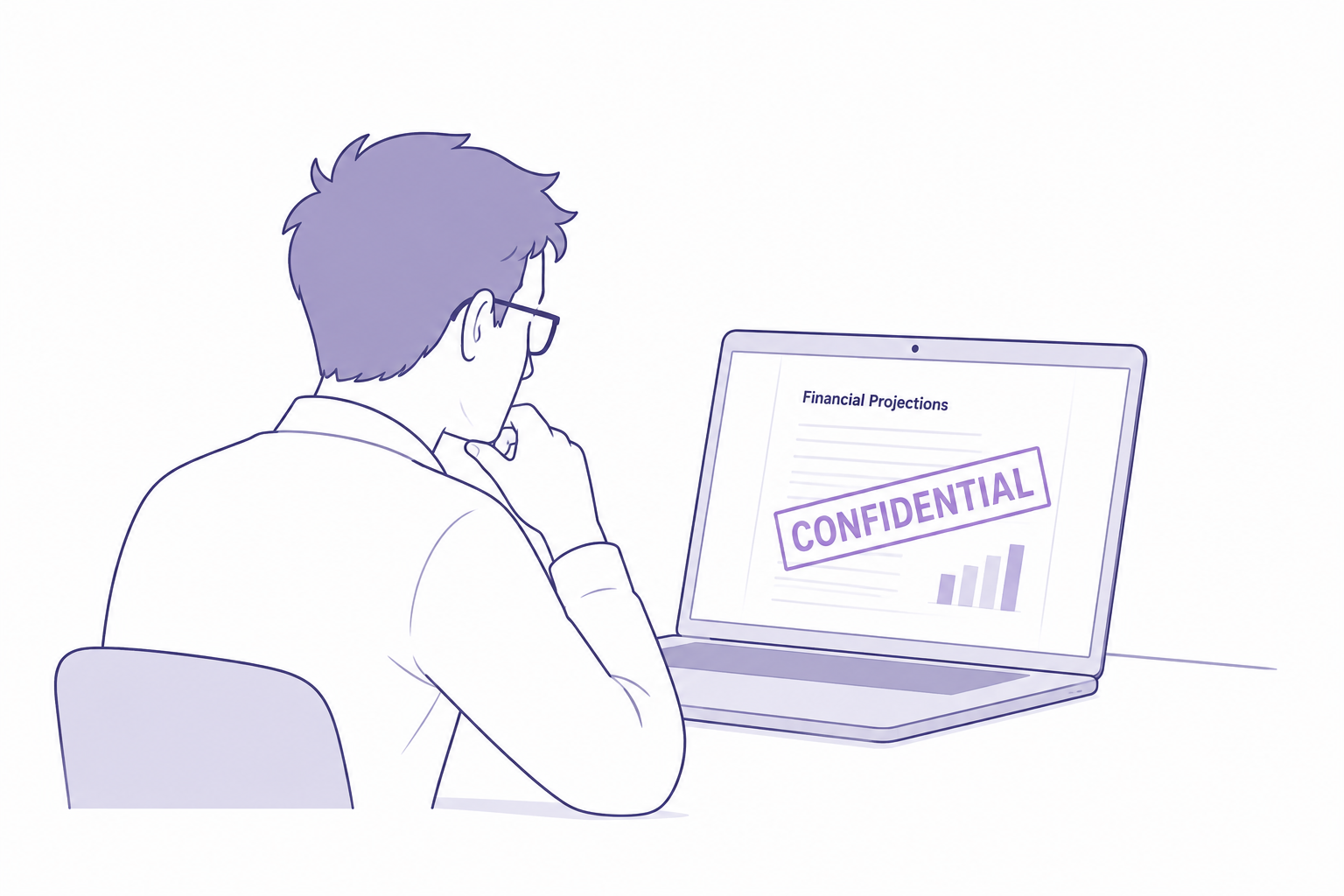
When confidential documents are shared online, protecting the PDF itself is only part of the challenge. A visible watermark PDF can help identify who accessed a document, discourage unauthorized sharing, and provide useful context if a file is captured or printed.
For M&A, fundraising, due diligence, legal reviews, and other sensitive workflows, organizations need more than a basic logo or company name on a document. A modern watermark PDF strategy should combine dynamic identification, viewing restrictions, print controls, and protection against common screen-capture methods.
DeelTrix VDR provides multiple controls designed to make watermark PDF sharing more secure. These include Protected Viewport, Focus Lock, Watermark Print Enable, View Only Mode, and Dynamic Watermark controls that can display information such as IP address, custom text, and timestamp.
The result is a more controlled way to share confidential PDFs without treating every document as an unrestricted downloadable file.
What Is a Watermark PDF?
A watermark PDF is a PDF document that contains an identifying visual layer over or around its content. The watermark can communicate ownership, confidentiality, recipient information, or access information.
Traditional watermarks might contain text such as:
CONFIDENTIAL — ABC COMPANY
However, a more advanced watermark PDF can include information that changes depending on the person viewing the document.
For example:
CONFIDENTIAL — Viewed by John Smith — IP: xxx.xxx.xxx.xxx — 28 Aug 2026 15:42
This approach makes the watermark PDF more closely connected to the individual viewing session.
Why a Watermark PDF Is Important for Confidential Documents
A confidential document can be downloaded, forwarded, photographed, printed, or captured through a screenshot.
A watermark PDF cannot eliminate every possible method of copying information, but it can make unauthorized redistribution more difficult and provide identifying information about the viewing context.
This is particularly valuable when sharing:
- Financial statements
- M&A documents
- Acquisition proposals
- Investor materials
- Cap tables
- Customer contracts
- Legal agreements
- Intellectual property documents
- Business plans
- Confidential reports
- Due diligence documentation
For these use cases, a watermark PDF becomes part of a broader document-security strategy.
DeelTrix VDR Takes Watermark PDF Protection Further
DeelTrix VDR combines watermark PDF controls with viewing restrictions designed specifically for sensitive business documents.
Instead of simply placing static text on a PDF, businesses can use several controls together.
The key controls include:
| Protection | Purpose |
|---|---|
| Protected Viewport | Helps protect the document viewing area |
| Focus Lock | Keeps the viewing experience focused on the authorized document |
| Watermark Print Enable | Provides an option to watermark printed documents |
| View Only Mode | Allows users to view documents without providing unrestricted download access |
| Dynamic Watermark | Displays contextual information such as IP, custom text, and timestamp |
These controls can work together to create a stronger document-sharing environment.
Protected Viewport for Watermark PDF Security
Protected Viewport is important when the objective is to control how confidential PDF content is presented to the viewer.
A traditional PDF download gives the recipient a file that they can potentially store, forward, or distribute outside the original environment.
A protected viewing experience changes that model.
Instead of treating the watermark PDF as an unrestricted file, the document can be presented within a controlled viewing environment.
This is particularly useful during:
- M&A due diligence
- Investor reviews
- Legal document examination
- Financial document sharing
- Confidential partnership discussions
The goal is simple: provide access to the information without unnecessarily providing an unrestricted copy of the underlying document.
Focus Lock Adds Another Layer

A watermark PDF is most effective when the viewer remains inside a controlled document-viewing experience.
Focus Lock is designed to help keep the viewing session focused on the authorized document.
This matters because document security is not only about what happens to a file after download. The viewing environment itself can be part of the security model.
For example, a company conducting acquisition due diligence may want external users to review confidential documents without turning the room into a general-purpose file-sharing environment.
Focus Lock helps support that controlled experience.
Watermark Print Enable for Printed Documents
Printing is often overlooked when businesses think about watermark PDF security.
A recipient might have legitimate permission to print a document, but the printed copy can quickly lose the context that existed inside the digital environment.
This is why Watermark Print Enable can be important.
When enabled, printed documents can retain watermark information that identifies the document and viewing context.
For example, a printed page could contain:
CONFIDENTIAL
Viewed by: Authorized User
IP: [IP address]
Timestamp: [Date and time]
This creates a visible connection between the printed document and its authorized viewing session.
For highly sensitive transactions, that additional accountability can discourage casual redistribution.
View Only Mode for Watermark PDF Sharing
One of the most useful controls for sensitive watermark PDF documents is View Only Mode.
View Only Mode is designed for situations where recipients need to inspect information but do not necessarily need an unrestricted downloadable copy.
Consider an M&A transaction.
A seller may want potential buyers to review:
- Financial statements
- Customer contracts
- Product documentation
- Employee information
- Legal agreements
But the seller may not want every document automatically distributed as a permanent local file.
A View Only workflow can provide access to the information while keeping the document within the controlled VDR environment.
This makes watermark PDF protection more effective because the watermark and viewing controls work together rather than independently.
Dynamic Watermark Is More Powerful Than Static Watermarking
A static watermark PDF might contain the company’s name.
For example:
ACME CORPORATION — CONFIDENTIAL
That identifies the owner, but it does not necessarily identify the person viewing the document.
A Dynamic Watermark can provide much more contextual information.
DeelTrix can use dynamic watermark information such as:
- IP address
- Custom text
- Timestamp
This makes the watermark relevant to the individual viewing session.
For example:
CONFIDENTIAL — John Smith — IP Address — 28 Aug 2026 16:12
The exact configuration can depend on the organization’s requirements.
Why IP Address Matters in a Watermark PDF
An IP address can provide additional contextual information about where a document was accessed from.
When included in a watermark PDF, the IP address can make the document more traceable than a generic “Confidential” label.
Imagine that a confidential financial model appears outside the intended transaction group.
A static watermark might only identify the company.
A dynamic watermark containing contextual access information can provide additional clues about the viewing session.
This is why dynamic information can be more useful than simply adding a company logo.
Why Custom Text Matters
Every transaction has different confidentiality requirements.
A legal team may want:
ATTORNEY CONFIDENTIAL
An M&A team may want:
PROJECT ACQUISITION — CONFIDENTIAL
An investment team may want:
PRIVATE & CONFIDENTIAL — INVESTOR REVIEW
Custom text allows businesses to adapt their watermark PDF strategy to the particular transaction.
It also makes documents easier to identify when they are printed or captured outside the original environment.
Why Timestamp Matters

The timestamp is another important part of a dynamic watermark PDF.
A timestamp can indicate when the document was being viewed.
For example:
Viewed: 28 Aug 2026 — 16:25
This is especially useful for time-sensitive transactions.
If a document changes during due diligence, timestamps can help provide additional context around when a particular viewing occurred.
Combined with custom text and IP information, the timestamp creates a more informative watermark than a static confidentiality label.
Example: Protecting an M&A Financial Model
Consider a fictional company preparing to sell its business.
The seller uploads a confidential financial model to a DeelTrix VDR.
The buyer’s authorized team receives View Only access.
The seller enables:
- Protected Viewport
- Focus Lock
- View Only Mode
- Dynamic Watermark
- Watermark Print Enable
The dynamic watermark displays:
PROJECT ALPHA — CONFIDENTIAL
Authorized Viewer
IP Address
Timestamp
The buyer can review the financial model within the controlled environment.
If printing is permitted, the printed version can also carry the configured watermark.
This creates several layers of protection around the watermark PDF rather than relying on the watermark alone.
Watermark PDF Security: A Layered Approach
The strongest approach is not to depend on one feature.
Instead, organizations can combine multiple controls.
A practical layered approach looks like this:
Layer 1 — View Only Mode
Limit the document to controlled viewing when downloads are unnecessary.
Layer 2 — Protected Viewport
Use a protected document-viewing environment.
Layer 3 — Focus Lock
Help maintain the intended viewing experience.
Layer 4 — Dynamic Watermark
Display contextual information such as IP, custom text, and timestamp.
Layer 5 — Watermark Print Enable
Keep watermark information visible when printing is allowed.
Together, these controls create a more comprehensive approach to watermark PDF protection.
Why Dynamic Watermarking Matters During Due Diligence
Due diligence can involve dozens of people from different organizations.
There may be:
- Buyers
- Sellers
- Investment bankers
- Lawyers
- Accountants
- Consultants
- Management teams
- Investors
Not everyone should necessarily have identical access.
Dynamic watermark PDF controls can provide additional visibility and accountability as documents move through this process.
Instead of every recipient seeing an identical PDF, the viewing experience can contain contextual information associated with the user or session.
Watermark PDF for Fundraising
The same concept applies to fundraising.
A startup may share its financial model with multiple prospective investors.
The company may want each investor to understand that the material is confidential.
A dynamic watermark PDF can help communicate that confidentiality while providing contextual information such as custom text and timestamp.
The startup can therefore create a controlled investor-review environment rather than simply attaching the financial model to an email.
Watermark PDF for Legal Documents
Legal teams frequently handle documents that should not be freely redistributed.
Examples include:
- Contracts
- Acquisition agreements
- Legal opinions
- Litigation documents
- Regulatory materials
- Confidential agreements
A watermark PDF can make the confidential nature of these documents immediately visible.
When combined with View Only Mode and dynamic watermarking, organizations can establish additional controls around how those documents are reviewed.
The Difference Between a Basic and Advanced Watermark PDF
| Feature | Basic Watermark | DeelTrix Approach |
|---|---|---|
| Static confidentiality text | Yes | Yes |
| Custom text | Limited | Yes |
| Viewer context | Usually no | Dynamic |
| IP information | Usually no | Available |
| Timestamp | Usually no | Available |
| View Only Mode | Not necessarily | Yes |
| Protected viewing | Not necessarily | Protected Viewport |
| Focus control | Not normally | Focus Lock |
| Print watermark | Varies | Watermark Print Enable |
| VDR integration | Not necessarily | Yes |
The important difference is that DeelTrix treats the watermark PDF as one component of a broader controlled-document workflow.
When Should You Use a Watermark PDF?
Consider using watermark PDF controls whenever documents contain information that should remain confidential.
Common situations include:
- M&A transactions
- Fundraising
- Private equity investments
- Venture capital due diligence
- Corporate acquisitions
- Strategic partnerships
- Legal reviews
- Financial audits
- Business sales
- Confidential board materials
The more sensitive the information, the more valuable layered document controls can become.
Final Thoughts
A watermark PDF is more useful when it does more than display a company name.
For sensitive transactions, organizations should think about the entire document-viewing experience: who can access the document, whether they can download it, how the document is presented, whether printing is controlled, and whether the document contains contextual information about the viewing session.
DeelTrix VDR brings these considerations together through Protected Viewport, Focus Lock, Watermark Print Enable, View Only Mode, and Dynamic Watermark capabilities.
Dynamic watermarking is particularly valuable because it can include IP address, custom text, and timestamp, creating a more informative and context-aware document watermark.
For companies handling confidential M&A documents, fundraising materials, financial records, legal files, and due diligence information, the objective should not simply be to put a watermark on a PDF.
The objective should be to create a controlled environment around the document.
That is why a modern watermark PDF strategy combines watermarking with viewing restrictions, controlled access, print protection, and dynamic identification.
With DeelTrix VDR, businesses can take a more comprehensive approach to protecting confidential PDF documents while still giving authorized buyers, investors, advisors, and other stakeholders the access they need to move important deals forward.

FAQs About Watermark PDF Security
What is a watermark PDF?
A watermark PDF is a PDF document that contains visible identifying text or information over the document content. It can be used to communicate confidentiality, ownership, recipient information, or other access-related details. In a secure data room, watermarking can be combined with access controls to provide additional protection for sensitive documents.
Why should businesses use a watermark PDF?
Businesses can use a watermark PDF to discourage unauthorized distribution and make confidential documents easier to identify. Watermarks can communicate that a document is confidential and, when dynamically generated, can include contextual information associated with the person or session viewing the document.
How does DeelTrix protect confidential PDF documents?
DeelTrix VDR provides multiple controls for protecting confidential documents, including View Only Mode, Protected Viewport, Focus Lock, Dynamic Watermark, and Watermark Print Enable. These features can be combined to create a more controlled document-sharing environment for M&A, fundraising, due diligence, and other sensitive workflows.
What is a dynamic watermark?
A dynamic watermark changes based on information associated with the document-viewing session. Instead of displaying only a static company name, a dynamic watermark can include information such as IP address, custom text, and timestamp, depending on the configured settings.
What information can a DeelTrix dynamic watermark display?
DeelTrix dynamic watermarking can provide contextual information such as an IP address, custom text, and timestamp. These details can help identify the viewing context and make a confidential document more traceable than a simple static watermark.
Why is an IP address useful in a watermark?
Including an IP address in a dynamic watermark can provide additional context about where a document was accessed from. It can make a document more identifiable if a copy, printout, or image of the document is later found outside the intended transaction environment.
Why should a watermark include a timestamp?
A timestamp can indicate when a document was viewed. When used as part of dynamic watermarking, it provides additional context around the document-viewing session and can be particularly useful for time-sensitive M&A, fundraising, and due diligence processes.
What is custom text in dynamic watermarking?
Custom text allows an organization to add transaction-specific or confidentiality-related information to its watermark. For example, a company could use text such as “Project Alpha — Confidential” or “Investor Review Only” to communicate the intended use of a document.
What is View Only Mode?
View Only Mode allows authorized users to view documents without necessarily receiving an unrestricted downloadable copy. This can be useful when a company wants an external party to review confidential information while maintaining greater control over how the document is distributed.
How does View Only Mode work with a watermark PDF?
View Only Mode and watermarking can complement each other. The viewer can access the document within the controlled environment while the configured watermark provides identifying or confidentiality information. This approach can reduce reliance on unrestricted file downloads.
What is Protected Viewport?
Protected Viewport is a document-viewing protection feature designed to provide a controlled environment for viewing sensitive documents. Rather than treating the PDF as an unrestricted file, the document can be presented within the VDR’s protected viewing experience.
Why is Protected Viewport important for confidential documents?
A protected viewing environment can reduce the need to distribute sensitive documents as unrestricted files. This can be useful when buyers, investors, advisors, or other external participants need to inspect information but do not necessarily need permanent local copies.
What is Focus Lock?
Focus Lock is a viewing control designed to keep the user’s attention within the intended document-viewing experience. It can support a more controlled environment when confidential information is being reviewed inside a data room.
How does Focus Lock improve document security?
Focus Lock adds another layer to the document-viewing workflow by helping maintain focus on the protected document environment. When combined with View Only Mode and dynamic watermarking, it can contribute to a more controlled review experience.
What is Watermark Print Enable?
Watermark Print Enable is an option that allows organizations to maintain watermark information when printing documents. This is important because a document can leave the digital environment when printed, so retaining identifying information on the physical copy can provide additional accountability.
Why is print watermarking important?
Printing can create a physical copy that may be separated from the original secure environment. A printed watermark can help communicate confidentiality and retain contextual information on the physical document when printing is permitted.
Can a watermark be printed with the document?
With Watermark Print Enable, organizations can configure watermarking for printed documents. This can help ensure that the confidentiality and identifying information associated with the document remains visible on an authorized printout.
What is the difference between static and dynamic watermarking?
A static watermark remains the same for every viewer. A dynamic watermark can change based on the viewing context and may include information such as IP address, custom text, and timestamp. Dynamic watermarking therefore provides more contextual information than a generic confidentiality label.
Is a watermark enough to secure a confidential PDF?
No. A watermark should be considered one component of a broader document-security strategy. For highly confidential documents, organizations should also consider access permissions, View Only Mode, protected viewing, authentication, activity monitoring, and other appropriate security controls.
Can watermarking help prevent unauthorized document sharing?
Watermarking can discourage unauthorized sharing by making the source or viewing context more apparent. A dynamic watermark containing identifying information may make recipients more cautious about redistributing confidential content.
Can watermarking prevent screenshots?
A watermark by itself cannot guarantee that screenshots will never be taken. However, using a dynamic watermark together with controlled viewing features such as Protected Viewport and Focus Lock can provide additional protection and accountability around confidential document viewing.
Why should I use Dynamic Watermark with View Only Mode?
View Only Mode controls how the document is accessed, while Dynamic Watermark adds contextual information to the document-viewing experience. Using both can provide stronger protection than relying on either capability independently.
Can I use a watermark PDF for M&A due diligence?
Yes. A watermark PDF can be useful during M&A due diligence because transaction documents often contain highly confidential financial, legal, commercial, and corporate information. Dynamic watermarking can help identify the viewing context while controlled access can limit unnecessary distribution.
Can DeelTrix be used for M&A document sharing?
Yes. DeelTrix VDR is designed to support secure document sharing for transactions such as M&A. Companies can organize due diligence materials, invite authorized participants, and apply document-access controls appropriate to the transaction.
Can watermarking be used for fundraising documents?
Yes. Startups can use watermarking when sharing sensitive fundraising materials such as financial models, cap tables, business plans, customer information, and legal documents with prospective investors.
Why use a watermark PDF when sharing financial models?
Financial models can contain sensitive revenue, expense, forecast, valuation, and operational information. A watermark can clearly communicate confidentiality and, when dynamically configured, provide contextual information about the viewing session.
Can I watermark investor documents?
Yes. Investor materials can be watermarked to communicate that the information is confidential and intended only for authorized review. Dynamic information can provide additional context when documents are shared with multiple investors.
Is watermarking useful for private equity transactions?
Yes. Private equity transactions can involve extensive confidential information, including financial statements, acquisition materials, management presentations, customer information, and legal documents. Watermarking can add an additional layer of accountability when these documents are reviewed.
Can lawyers use watermarking for confidential documents?
Yes. Legal teams can use watermarking for contracts, transaction documents, legal opinions, corporate records, and other sensitive materials. A dynamic watermark can help identify the viewing context while maintaining a clear confidentiality notice.
Can a watermark PDF be used for business sales?
Yes. Businesses preparing to sell a company can use a watermark PDF when providing potential buyers with financial, legal, operational, commercial, and corporate documents during the transaction.
How does dynamic watermarking help during due diligence?
During due diligence, many participants may access the same documents. Dynamic watermarking can distinguish viewing sessions by including information such as IP address, custom text, and timestamp. This can provide additional context when confidential documents are reviewed by multiple parties.
Can different users see different watermark information?
Dynamic watermarking can be configured to display contextual information associated with the viewing experience. This is particularly useful when the same confidential document is made available to multiple external participants.
Why is timestamp information important for deal documents?
Deal documents can change as negotiations and due diligence progress. A timestamp in a dynamic watermark provides additional context about when the document was viewed, which can be useful when tracking the lifecycle of sensitive transaction information.
Why is custom watermark text useful for M&A?
M&A transactions often have project names and confidentiality requirements. Custom text can identify a document as belonging to a specific transaction or indicate that the document is intended for authorized review only.
Can a watermark contain confidentiality notices?
Yes. A watermark can contain custom confidentiality text such as “Confidential,” “Private & Confidential,” “Investor Review Only,” or transaction-specific wording, depending on the organization’s requirements.
Does a watermark replace access permissions?
No. Watermarking and access permissions serve different purposes. Permissions determine who can access information, while watermarking can identify or communicate information about the document and viewing context. Using both provides a more comprehensive approach.
Does View Only Mode replace watermarking?
No. View Only Mode controls document access and download behavior, while watermarking provides visible identifying or confidentiality information. They can be used together to strengthen the overall document-sharing workflow.
Does Protected Viewport replace a watermark?
No. Protected Viewport and watermarking address different aspects of document protection. Protected Viewport focuses on the viewing environment, while dynamic watermarking adds contextual information to the document.
Does Focus Lock replace Dynamic Watermark?
No. Focus Lock is a viewing control, while Dynamic Watermark adds information such as IP address, custom text, and timestamp. Combining the features can provide multiple layers of protection.
Can printed documents retain confidentiality information?
Yes. When Watermark Print Enable is configured, the printed document can retain the configured watermark information. This can help maintain confidentiality and context after a document leaves the digital viewing environment.
What happens if a confidential document is printed?
If printing is allowed, the organization can use Watermark Print Enable to help ensure that the resulting physical copy carries watermark information. This can provide additional accountability for printed confidential materials.
Should every confidential PDF be watermarked?
Not necessarily. Watermarking is most valuable for documents where confidentiality, controlled distribution, or traceability is important. Organizations should determine their requirements based on the sensitivity of the information and the nature of the transaction.
What documents should be watermarked in an M&A data room?
Common candidates include financial statements, forecasts, customer contracts, intellectual property documents, legal agreements, employee information, acquisition materials, and other commercially sensitive documents.
What documents should be watermarked during fundraising?
A company may consider watermarking financial models, cap tables, investor presentations, customer information, legal documents, intellectual property records, and other confidential information provided to prospective investors.
Can a watermark PDF discourage document leaks?
It can act as a deterrent. When viewers know that documents contain identifying information such as custom text, IP address, or timestamp, they may be less likely to intentionally redistribute them.
Why combine IP, custom text, and timestamp in a watermark?
Each piece of information provides different context. IP information can provide access context, custom text can communicate the purpose or confidentiality of the document, and timestamp information can indicate when the viewing occurred. Together, they can create a more informative dynamic watermark.
Is a dynamic watermark better than a company logo?
For many confidential workflows, a dynamic watermark can provide more useful information than a simple logo. A company logo identifies ownership, while dynamic information such as IP, custom text, and timestamp can provide additional viewing context.
Can DeelTrix protect documents without requiring downloads?
DeelTrix can support controlled document viewing through features such as View Only Mode. This can be useful when users need to review information but the organization does not want to provide unrestricted document downloads.
Who benefits most from advanced watermarking?
Advanced watermarking can benefit companies and professionals handling highly confidential information, including investment bankers, M&A teams, private equity firms, venture capital firms, legal advisors, corporate development teams, founders, and financial advisors.
Why choose DeelTrix for watermark PDF protection?
DeelTrix combines data-room functionality with multiple document-protection controls. Organizations can use View Only Mode, Protected Viewport, Focus Lock, Watermark Print Enable, and Dynamic Watermark to create a more controlled environment for sharing sensitive documents.
What is the most secure approach to sharing a watermark PDF?
The strongest approach is generally layered rather than relying on watermarking alone. Organizations can combine controlled access, View Only Mode, Protected Viewport, Focus Lock, Dynamic Watermark, and Watermark Print Enable according to their security and transaction requirements.
Can DeelTrix watermark documents during investor and buyer review?
Yes. DeelTrix can be used to apply dynamic watermarking during controlled document review. This can be particularly useful when multiple investors, buyers, advisors, or other external stakeholders are reviewing the same confidential materials.
Is a watermark PDF useful after the document leaves the VDR?
Yes. Watermarking can remain valuable when documents are printed or otherwise viewed outside the original environment. Watermark Print Enable can help retain identifying information on authorized printed copies.
What makes DeelTrix different for secure document sharing?
DeelTrix focuses on combining secure document sharing with data-room workflows. Instead of relying only on a visible watermark, organizations can combine dynamic watermarking with View Only Mode, Protected Viewport, Focus Lock, and controlled printing to create multiple layers around confidential documents.