Dynamic Watermarking: Best guide on how to share sensitive documents with protection
Add Watermarks here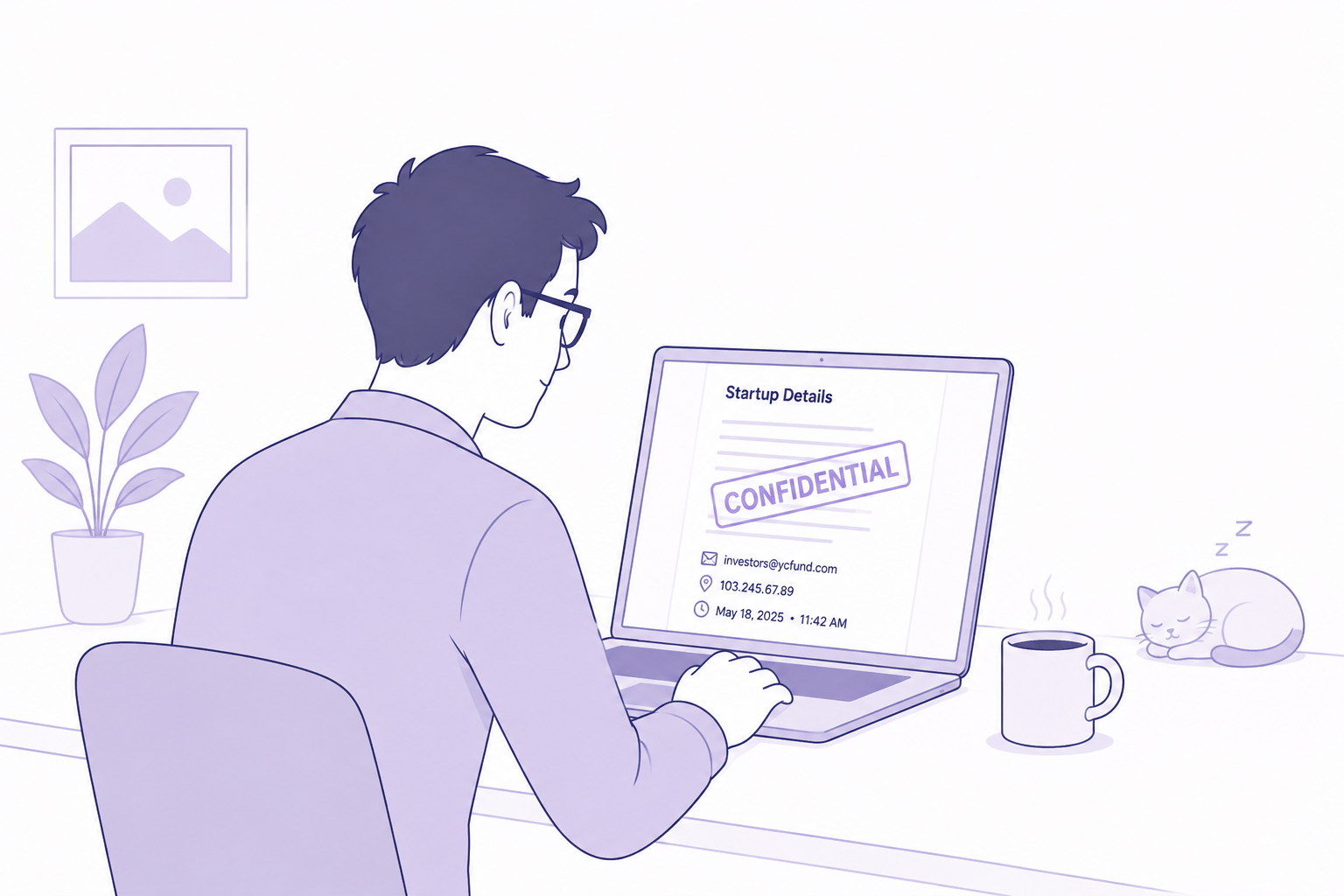
Why focus on Dynamic Watermarking? In a world where confidential information moves faster than ever, static protections like simple access controls or a one-size-fits-all watermark no longer cut it. Enter dynamic watermarking — a practical, high-impact technology that helps protect sensitive documents in transit and in viewing, while still allowing legitimate collaboration. This guide explains what dynamic watermarking is, why it matters, how to implement it responsibly, and how it can be used in real workflows such as M&A and fundraising. There’s also a focused section showing how DeelTrix supports these capabilities and where it compares to DocSend.
What is dynamic watermarking?

Dynamic watermarking is the process of overlaying viewer-specific, context-aware information on a document at the moment of viewing. Unlike a printed or baked-in watermark, a dynamic watermark is rendered on-the-fly and can contain tokens like viewer email, timestamp, IP address, session ID, or other metadata. Because it is generated in real time for each session or user, it serves as both a deterrent (screenshot deterrent) and an audit signal (who accessed, when, and from where).
Common watermark tokens and elements:
- viewer email or username
- timestamp (with timezone)
- viewer IP or approximate location
- document name and page number
- session ID or link token
- subtle design cues (opacity, rotation, per-page density)
Why dynamic watermarking matters?
- deterrence against unauthorized distribution
A dynamic watermark makes it obvious who viewed a document and when. That social/forensic friction reduces careless screenshots and discourages bad actors because their identity is essentially stamped into any captured image. - forensic evidence for audits and disputes
Dynamic watermarking complements audit logs. If a leaked image surfaces, you can often tie it back to a session, an email, and a timestamp, which speeds up investigations. - granular controls for complex deals
M&A, fundraising, and vendor diligence often involve dozens or hundreds of stakeholders with different rights. With dynamic watermarking you can apply user-specific options: stronger watermarking for external viewers, lighter overlay for internal reviewers, and per-page or per-folder policies. - compatibility with view-only strategies
When you combine view-only viewing modes with dynamic watermarking (and download blocking), you maintain a readable experience for buyers while maximizing control over redistribution.
Core patterns for implementing dynamic watermarking
- on-the-fly rendering
Render the watermark on the server or client at view time so that each session gets a unique overlay. Options include server-side PDF render, canvas overlays in-browser viewer, or watermark layers in WebView or PDF.js. - tokenization
Decide which tokens matter: email, timestamp, IP, session id, or buyer group. Keep token formatting consistent for clarity and forensic value. - per-page and density controls
Allow policies that increase watermark density on sensitive sections or apply different opacity/angle rules per page. That reduces user friction where not needed and increases deterrence where necessary. - policy presets and exceptions
Offer presets for common workflows (M&A, fundraising, compliance audits) and allow manual overrides. For example, allow higher watermark prominence for external sharing, lower for internal reviewers. - logging & audit trail integration
Watermark generation events should be logged and tied to existing audit trails so administrators can correlate views with embedded tokens. - performance & caching considerations
Rendering watermarked documents on demand can be CPU-heavy. Use efficient server-side rendering, caching of intermediate images/pages (while still ensuring unique tokens), or client-side overlays that require less server CPU. - privacy & compliance
When including sensitive tokens like IP, ensure compliance with regional privacy rules. Document retention, masking (partial email obfuscation), and consent flows may be required.
Dynamic Watermarks: Best Practices

- keep watermarks readable but unobtrusive
Choose a size, opacity, and rotation that deters misuse without blocking the content. Per-page density and per-role defaults help balance readability. - place key tokens logically
Place email and timestamp where they are visible but not obscuring critical figures or small fonts. Footer or repeating tile patterns work well. - allow preview modes for internal users
Internal reviewers often need clearer content. Permit an internal preview policy with reduced watermarking but still logged activity. - avoid overbearing repetition for legitimate workflows
Too many or too-opaque watermarks can frustrate users. Use conditional rules: full density for external links; subtle tiled watermarks for internal review. - communicate clearly to recipients
A quick on-screen note explaining why watermarking is present (and that views are logged) increases trust and reduces confusion.
Dynamic Watermarking: Protect Sensitive Documents with DeelTrix
Sharing confidential documents with investors, buyers, lawyers, advisors, and business partners creates a difficult challenge: people need enough access to review the information, but the company still needs to maintain control over sensitive content.
DeelTrix addresses this with dynamic watermarking, which adds identifying information to the document-viewing experience rather than relying only on a generic static watermark.
With DeelTrix, organizations can add a custom intellectual property or confidentiality notice, the reader’s email address, and a timestamp. This creates a more identifiable viewing experience for every recipient.
For example, a confidential fundraising financial model could display:
“CONFIDENTIAL — PROPERTY OF COMPANY — investor@email.com — 18 Aug 2026, 4:30 PM”
The exact watermark configuration can be tailored to the organization’s requirements.
Why Dynamic Watermarking Is More Effective
A conventional watermark might simply say “CONFIDENTIAL.” While that communicates that a document is sensitive, it does not identify who received or viewed the document.
Dynamic watermarking adds contextual information.
Depending on the configuration, the document can display:
- Reader’s email address
- Date and timestamp
- Custom IP ownership statement
- Confidentiality notice
- Company-specific branding or text
- Recipient-specific identifying information
This creates accountability around document access.
If the same financial model is being reviewed by 20 investors, each viewing session can contain identifying information associated with the recipient. This can discourage casual redistribution because the recipient knows that the document is associated with their identity.
Fundraising and Investor Diligence
Fundraising is one of the strongest use cases for dynamic watermarking.
A startup may need to share highly sensitive information such as:
- Financial projections
- Cap table
- Customer contracts
- Revenue reports
- Product roadmaps
- Intellectual property information
- Detailed operating metrics
- Investor presentations
Initially, the founder may share only the pitch deck. As an investor progresses toward serious diligence, more confidential information becomes available.
With DeelTrix, these documents can be shared with dynamic identifying information.
For example, an investor reviewing a company’s financial model could see their email address and a timestamp alongside a custom confidentiality notice.
This gives the founder greater visibility and reinforces the confidential nature of the material.
Imagine a startup has 15 investors reviewing its Series A documentation. Instead of distributing one generic copy of the financial model, the founder can provide controlled access through DeelTrix.
If the document later appears outside the intended investor group, the identifying information can help establish where the document originated.
M&A and Due Diligence
M&A transactions involve even larger volumes of sensitive information.
Potential buyers may receive access to:
- Financial statements
- Customer information
- Supplier contracts
- Employee documentation
- Intellectual property
- Commercial agreements
- Tax information
- Operational reports
A single transaction can involve numerous buyers, advisors, lawyers, and internal stakeholders.
Dynamic watermarking helps maintain traceability while allowing authorized users to review the necessary information.
An M&A advisor could configure documents with a custom IP notice and recipient-specific information. Each buyer can then review the materials through a controlled environment rather than receiving unmarked files through email.
This is especially valuable when multiple potential buyers are reviewing similar documents simultaneously.
Legal Document Sharing
Legal teams frequently exchange confidential contracts, agreements, settlement documentation, transaction drafts, and other sensitive materials.
A generic “Confidential” label provides some context, but recipient-specific watermarking can create stronger accountability.
For example, a legal document could display the reader’s email address and timestamp together with a company confidentiality notice.
This can discourage unauthorized forwarding and make it more difficult to casually redistribute the document without leaving identifying information behind.
Vendor and Partner Due Diligence
Dynamic watermarking is not limited to fundraising or M&A.
Companies may share sensitive security documentation, technical specifications, product information, vendor onboarding materials, or proprietary business information with external partners.
For example, a technology company could provide security documentation to a prospective enterprise customer while displaying the recipient’s email and a custom intellectual property notice.
This allows the company to provide necessary information without treating the document like an unrestricted attachment.
Dynamic Watermarking Alone Is Not Enough
Watermarking is powerful, but it should not be treated as a complete security solution.
A watermark can identify the viewer and discourage unauthorized distribution, but it does not necessarily prevent someone from taking a screenshot, photographing a screen, or continuing to view a document after moving away from the active browser tab.
That is why DeelTrix goes beyond dynamic watermarking.
The platform can combine watermarking with Focus Lock and Protected Viewport to provide multiple layers of protection.
Focus Lock for Additional Viewing Protection
Focus Lock is designed to protect the document-viewing session when the viewer moves away from the intended viewing context.
For example, an investor is reviewing a confidential financial model and switches to another browser tab. Rather than simply leaving the document exposed, Focus Lock can lock the document until the viewing session is restored.
This creates another barrier against casual exposure when the viewer is no longer actively reviewing the document.
Protected Viewport for Controlled Visibility
Protected Viewport adds another layer by providing a controlled area for viewing sensitive document content.
Instead of relying exclusively on a watermark, organizations can combine document identification with controlled visual exposure.
This is particularly useful when sharing confidential financial models, legal documents, customer information, or intellectual property with external parties.
A Layered Security Approach
The strongest approach is not simply adding a watermark. It is combining several controls.
DeelTrix can provide:
- Dynamic reader email identification
- Timestamped viewing information
- Custom IP and confidentiality notices
- Watermarked document access
- Focus Lock
- Protected Viewport
- Granular permissions
- Controlled document sharing
- Investor and buyer activity tracking
Together, these features create a more comprehensive document protection strategy.
For fundraising, a founder can identify who is reviewing sensitive information. For M&A, an advisor can provide controlled access to multiple buyers. For legal teams, confidential drafts can remain traceable. For vendors and partners, proprietary materials can be shared with greater accountability.
The key advantage of DeelTrix is therefore not just dynamic watermarking. It is the ability to combine identity-based document protection with viewing controls.
Dynamic watermarking tells you who the document is associated with. Focus Lock helps protect the session when attention moves away. Protected Viewport helps control what is visible.
For organizations handling sensitive fundraising, M&A, legal, or commercial information, this layered approach provides substantially more control than simply adding a “Confidential” label to a PDF.
Practical implementation checklist
- choose tokens to use (email, timestamp, ip, session id)
- decide rendering approach (server render vs client overlay)
- create policy presets for common workflows (M&A, fundraising)
- implement per-page density and angle controls
- integrate watermark events with audit logs and notifications
- ensure privacy compliance for any personal identifiers
- run performance testing and setup caching strategies
- provide clear recipient messaging about watermark and logging
How DeelTrix helps — feature comparison versus DocSend
Below is a focused feature list showing how DeelTrix addresses key virtual data room needs. Use this within your pillar article as a product example to demonstrate applied dynamic watermarking and related controls.
| Feature / Capability | DeelTrix |
|---|---|
| Purpose-Built for M&A & Due Diligence | Yes – designed specifically for M&A, fundraising, and due diligence workflows |
| Granular Document Permissions | Advanced (view, download, watermark, expire per user) |
| Data Room Structure | Hierarchical folders and multiple data rooms |
| Real-Time Analytics | Analytics support — who viewed, for how long, which page |
| Collaboration Tools | Comments, Q&A section, team collaboration |
| Multi-User & Role Management | Admin, Viewer, Contributor roles |
| Dynamic Watermarking | Support dynamic watermarking |
| One Click Update | Keep internal teams and room users updated with the ONE CLICK Update feature |
| Document Support | Multiple document type support is available |
| Custom Branding | Your company logo and custom themes |
| Secure Viewing | Dynamic watermarking, view-only mode, download block |
| Notifications | Instant alerts for views, downloads, comments |
| Compliance & Audit Trail | Full audit logs, GDPR-compliant |
In practice, DeelTrix’s dynamic watermarking can be configured per-room and per-user, with tokens such as email, timestamp, and IP displayed on viewing sessions and recorded in the audit trail. The ONE CLICK Update feature helps teams push updated materials and notify all room users instantly while maintaining watermarking and analytics continuity.
Patterns for writing policies and templates
- M&A preset
- external reviewers: maximize watermark density, include full email and timestamp, expire link after X days
- internal reviewers: subtle tiled watermark, lower opacity, full access for a limited set of employees
- fundraising preset
- investors: email + timestamp watermark, view-only with download block by default, opt-in for full access after NDA
- compliance preset
- regulators and auditors: include audit tag + timestamp, enable temporary download if required with an extra logging step
These templates help teams apply consistent rules during high-pressure windows like auction phases or investor roadshows.
Measuring effectiveness
Key metrics to track:
- percentage of viewers who access documents via secure links (vs downloads)
- number of unique viewers per sensitive document
- frequency of watermark-triggered alerts (e.g., unexpected IPs)
- instances of content appearing externally that correlate with watermarked tokens
- average time-on-page and depth per document to prioritize engagement
Combine watermark tokens with analytics to identify intent and risk: a buyer who spends lots of time on cap table pages and opens them repeatedly is a higher intent lead.
Legal and privacy considerations
- obtain consent if required
Some jurisdictions require disclosure when personal data (like IP) is logged or displayed. Add a brief consent line before the viewer loads content when necessary. - retention policies
Set sensible retention windows for audit logs and watermark data to comply with GDPR or other regional laws. - redact or mask where needed
When sharing with third parties where full email disclosure is not acceptable, consider masked tokens (e.g., j***@company.com) or role-based aliases.
Example rollout plan for a product team
- define policy presets (M&A, fundraising, compliance)
- implement server-side rendering for PDFs and client overlay for fast previews
- build admin UI for watermark rules and token selection
- connect watermark events to analytics dashboards and alerting
- run a pilot with a current data room and collect feedback
- update default presets based on usability testing and legal input
Conclusion
Dynamic watermarking is not a silver bullet, but it is one of the highest-leverage protections available for modern document sharing. When paired with granular permissions, view-only modes, clear policies, and good analytics, it transforms document workflows from risky sharing into auditable, defensible collaboration.
If you’re managing M&A deals, investor diligence, or any sensitive document exchange, consider a solution that offers flexible dynamic watermarking, per-user policies, and integrated analytics. DeelTrix is built for these workflows — offering dynamic watermarking, robust role management, audit trails, and collaboration tools designed specifically for deal teams.
Want a no-strings walkthrough of how dynamic watermarking works in real rooms and a demo of DeelTrix features applied to your use case? Reach out to DeelTrix for a guided demo and trial.

Share investor decks securely with live updates, page analytics, and instant revocation controls.
Organize financials, contracts, and compliance docs in one secure room with audit trails.
Control sensitive contracts and regulatory files with watermarking and access restrictions.
Send proposals with engagement signals and track which sections prospects value most.
Distribute reports with visibility into reader activity and keep conversations in-platform.